Search

Crack Stats

Tag

ipython

Installing Ipython

Before we get in to the analytics part, you need to have a few things on your system. First of all a Python distribution, aside from the official CPython distribution available from www.python.org, some of the other distributions(see a full list here) based on CPython are Anaconda by Continuum Analytics and Enthought’s EPD. I prefer using Anaconda, you can download any other distribution as well. Anaconda includes over 195 of the most popular Python packages for science, math, engineering and data analysis. You can download and install Anaconda by visiting www.continuum.io/downloads for free.

Source:- www.continuum.io/downloads
Source:- http://www.continuum.io/downloads

We also need IPython, which is a command shell for interactive computing in Python, it offers enhanced introspection, rich media, additional shell syntax, tab completion, and rich history. Follow these simple steps to install/update Ipython on Anaconda:

  1. Open Anaconda Command Prompt.
  2. Type “conda update conda” and press “Enter”.conda update
  3. After that, type “conda update ipython” and press “Enter” to update/install Ipython.update ipython

We also need Pandas Python package. Pandas provides fundamental high-level building block for doing practical, real world data analysis in Python. You can download and install Pandas by visiting  www.pypi.python.org/pypi/pandas/0.14.0/ . Select a suitable package depending upon the platform and Python version on your system.select panda

After downloading, install Pandas on your system.panda

Getting started with Python

Source:- www.python.org
Image source:- http://www.python.org

Python is one most widely used programming language, it is used for general purposes as well as high level programming. It has a very simple and consistent syntax, also with Python one can be quickly introduced to basic concepts such as conditional statements and loops. So, if you have done coding before in college or school level, it would be much easier to learn Python.

Image Source:- www.codecademy.com
Image Source:- http://www.codecademy.com

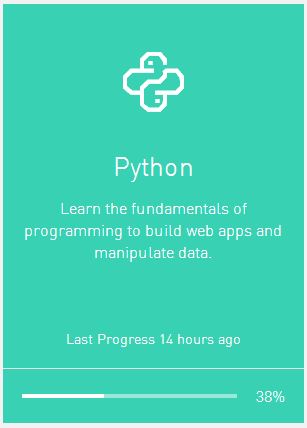
There are many programming/coding websites available who teaches Python. I found www.codecademy.com to be good enough for beginners as well as for those who know a bit of coding already. Codecademy offers an online course on Python for beginners, you can register there for free and start learning. It is a 13 hours course which covers almost all the basic concepts of Python like strings, list, dictionaries, functions, loops and conditionals statements etc. . The first few assignments are quite easy to understand. While learning you can also check your progress on Codeacademy.

Image Source:- www.codecademy.com
Image Source:- http://www.codecademy.com

Blog at WordPress.com.

Up ↑

Design a site like this with WordPress.com
Get started