Search

Crack Stats

Tag

web analytics

Shiny(RStudio): Web Application Framework For R

Image Source:- http://shiny.rstudio.com/

If you want to turn your analyses into an interactive web application, then Shiny by RStudio is the best thing for you, it’s a package  from RStudio that makes it incredibly easy to build interactive web applications without requiring any knowledge of HTML, CSS or JavaScript. Applications made on Shiny are automatically “live” i.e. changing an input on the application updates the output automatically without requiring a reload from browser(See examples at http://shiny.rstudio.com/).

How to install and use Shiny on R ?
Shiny is available on CRAN mirror, you can install it like any other package, just type: install.packages("shiny") on R console. To use Shiny package include  library(shiny)  at the beginning of your code.

Basic Structure of a Shiny App
All Shiny applications have two components: a user-interface definition and a server script. A user definition script consists of the code that makes the interface of the application for user to use and it is always defined in a source file named ui.R while the server script interprets the input given by the user to produce the output(visuals) and it is always defined in a source file name server.R.

You can start learning Shiny package at http://shiny.rstudio.com/tutorial/


Presenting the Results : Working with D3.js (A JavaScript Library)

Image Source :- www.d3js.org
Image Source :- http://www.d3js.org

Even a great analysis is worthless if no one understands the results or simply chooses to ignore them, and that depends upon the briefing or presentation to present analysis results to the users. Your analysis report has to be very reader-friendly and it should also contains certain elements like graphs, tables, charts etc. which convey information quickly and concisely.

D3.js is a JavaScript library for manipulating documents based on data. It helps you bring data to life using HTML, SVG(Scalable Vector Graphics) and CSS. It allows you to bind arbitrary data to a Document Object Model (DOM), and then apply data-driven transformations to the document. It is fast, supports large datasets and has dynamic behaviors for interaction and animation.

Few examples:

Image Source:- http://bl.ocks.org/mbostock/5944371
Image Source:-http://bost.ocks.org/mike/sankey/

How to download and use D3.js ?
You can download the latest version at www.d3js.org or,you can directly link to the latest release, by copying the following snippet:

<script src="http://d3js.org/d3.v3.min.js" charset="utf-8"></script>


Introduction to R

Image Source :- www.r-project.org
Image Source :- http://www.r-project.org

R is a programming language for statistical computing and graphics. R provides a wide variety of statistical (linear and nonlinear modelling, classical statistical tests, time-series analysis, clustering etc.) and graphical techniques, and is highly extensible. You must be thinking when we already have Python why do we need R or vice versa. Both the languages can be compared on various attributes like ease of learning, data handling capabilities, graphical capabilities, service support, users community etc. , there is already a lot of discussions going on various web forums regarding this, which has no end. While some users prefer using one of them others use both Python and R next to each other.

Installing R on your system :

R is available as Free Software under the terms of the Free Software Foundation‘s GNU General Public License in source code form. You can download R by visiting www.cran.r-project.org/

Image Source: www.cran.r-project.org/
Image Source: http://www.cran.r-project.org/

Download the R package depending upon your operating system.

How to learn R ?

There are various resources available to learn R , websites like  www.datacamp.com teaches R online for free.

Image Source: www.datacamp.com
Image Source: http://www.datacamp.com

You can take the “Introduction to R” course at www.datacamp.com, this course doesn’t required any previous knowledge of programming or data sciences.

Few R packages are also available like Swirl, which teaches user statistics and R simultaneously and interactively. You can install Swirl package on your system by following the simple steps.

  • Open R on your system, type ” install.packages(“swirl”) ” on the console and press “Enter”.r  console
  • This command will prompt you to select a “CRAN mirror”, select the one in your region.cran
  • It will automatically start downloading and installing swirl package.
  • When it’s done, load the Swirl package by typing ” library(“swirl”) “ on the console.This is the only step that you have to repeat every time you want to run swirl.


Installing Ipython

Before we get in to the analytics part, you need to have a few things on your system. First of all a Python distribution, aside from the official CPython distribution available from www.python.org, some of the other distributions(see a full list here) based on CPython are Anaconda by Continuum Analytics and Enthought’s EPD. I prefer using Anaconda, you can download any other distribution as well. Anaconda includes over 195 of the most popular Python packages for science, math, engineering and data analysis. You can download and install Anaconda by visiting www.continuum.io/downloads for free.

Source:- www.continuum.io/downloads
Source:- http://www.continuum.io/downloads

We also need IPython, which is a command shell for interactive computing in Python, it offers enhanced introspection, rich media, additional shell syntax, tab completion, and rich history. Follow these simple steps to install/update Ipython on Anaconda:

  1. Open Anaconda Command Prompt.
  2. Type “conda update conda” and press “Enter”.conda update
  3. After that, type “conda update ipython” and press “Enter” to update/install Ipython.update ipython

We also need Pandas Python package. Pandas provides fundamental high-level building block for doing practical, real world data analysis in Python. You can download and install Pandas by visiting  www.pypi.python.org/pypi/pandas/0.14.0/ . Select a suitable package depending upon the platform and Python version on your system.select panda

After downloading, install Pandas on your system.panda

Getting started with Python

Source:- www.python.org
Image source:- http://www.python.org

Python is one most widely used programming language, it is used for general purposes as well as high level programming. It has a very simple and consistent syntax, also with Python one can be quickly introduced to basic concepts such as conditional statements and loops. So, if you have done coding before in college or school level, it would be much easier to learn Python.

Image Source:- www.codecademy.com
Image Source:- http://www.codecademy.com

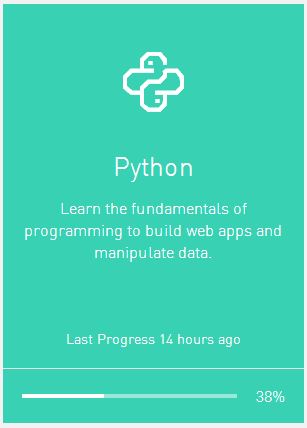
There are many programming/coding websites available who teaches Python. I found www.codecademy.com to be good enough for beginners as well as for those who know a bit of coding already. Codecademy offers an online course on Python for beginners, you can register there for free and start learning. It is a 13 hours course which covers almost all the basic concepts of Python like strings, list, dictionaries, functions, loops and conditionals statements etc. . The first few assignments are quite easy to understand. While learning you can also check your progress on Codeacademy.

Image Source:- www.codecademy.com
Image Source:- http://www.codecademy.com

Create a free website or blog at WordPress.com.

Up ↑

Design a site like this with WordPress.com
Get started